2.3.3. Declarative - Create VS, Pool and Members using an iApp
You will create a playbook to deploy VS, Pools and associated Members using iApps.
Create service playbook using iApp
Create a playbook
iapp.yaml.- Type
nano playbooks/iapp.yaml - Type the following into the
playbooks/iapp.yamlfile.
---

- name: "Declarative: Deploy / teardown web app"
  hosts: bigips
  gather_facts: False
  connection: local

  vars:
    service_name: ""
    service_ip: ""
    service_group: ""
    state: "present"

  environment: "{{ bigip_env }}"

  tasks:
    - import_tasks: getsl.yaml
      when: state == "absent"

    - name: Check if {{ service_name }} is deployed
      meta: end_play
      when: 'state == "absent" and service_name not in (service_list.content|from_json)["items"]'

    - name: Build POST body
      template: src=f5.http.j2 dest=./f5.http.yaml

    - name: Adjust an iApp
      uri:
        url: "https://{{ inventory_hostname }}/mgmt/tm/cloud/services/iapp/{{ service_name }}"
        method: "{{ (state == 'present') | ternary('POST', 'DELETE') }}"
        body: "{{ (lookup('template','f5.http.yaml') | from_yaml) }}"
        body_format: json
        user: "{{ bigip_user }}"
        password: "{{ bigip_pass }}"
        validate_certs: no
- Ctrl x to save file.
- Type
Run this playbook.
- Type
ansible-playbook playbooks/iapp.yaml -e @creds.yaml --ask-vault-pass -e service_name="app4" -e service_ip="10.1.10.40" -e service_group="appservers"
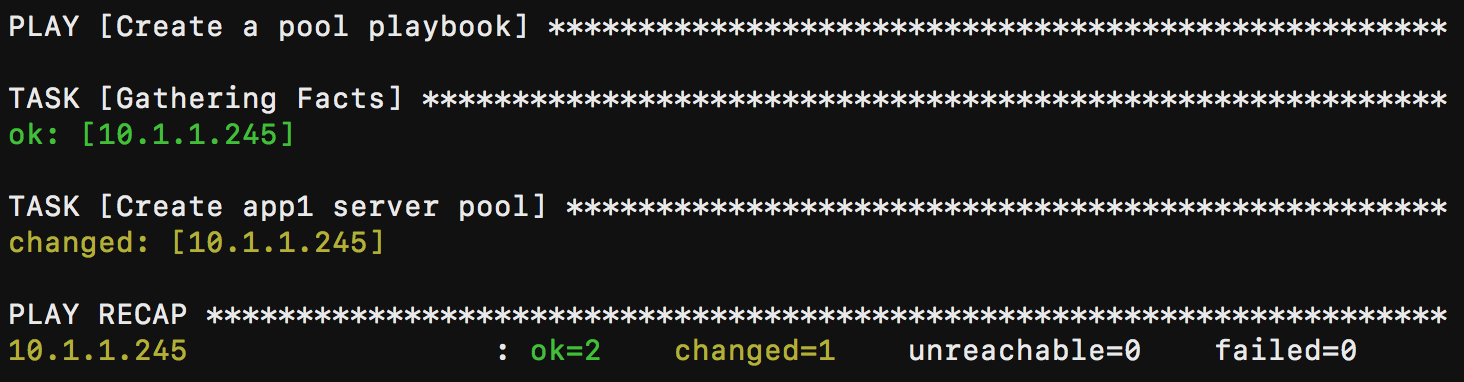
If successful, you should see similar results
Hint
Due to our lab environment, you may encounter a timeout issue. If so, please run playbook a 2nd time and it should complete correctly.
- Type
Verify results in BIG-IP GUI.
Hint
You should see app4 deployed with 1 pool member. App should be accessible on https://10.1.10.40.
Run this playbook to teardown.
Verify that app4 iapp should be deleted in BIG-IP GUI.
- Type
ansible-playbook playbooks/iapp.yaml -e @creds.yaml --ask-vault-pass -e service_name="app4" -e service_ip="10.1.10.40" -e service_group="appservers" -e state="absent"
Note
F5 iApps, automate the configuration of advanced L4-L7 functionality. Deploying an iApp from an Ansible playbook means the Ansible admin can deliver advanced L4-L7 services without the requirement for F5 domain-specific knowledge. You take the JSON payload and convert to YAML using online tools like http://www.json2yaml.com. For this particular exercise, the service is defined in the
playbooks/f5.http.yamlfile built leveraging theplaybooks/f5.http.j2file. Parameters for the name, destination (VIP), and pool members are passed through the command line through the-e service_ipand-e service_groupmantras. The service_group refers to the app_servers defined in the ./inventory/hosts file.- Type