2.3.1. Imperative - Create VS, Pool and Members using playbook variables
You will create a consolidated playbook to deploy VS, Pools and associated Members.
Create consolidated playbook
Create a playbook
app.yaml.- Type
nano playbooks/app.yaml - Type the following into the
playbooks/app.yamlfile.
---

- name: "Imperative: Create new web app"
  hosts: bigips
  gather_facts: False
  connection: local

  vars:
    vsname: "app2_vs"
    vsip: "10.1.10.20"
    vsport: "443"
    plname: "app2_pl"
    pmport: "80"
    pmhost1: "10.1.20.13"
    pmhost2: "10.1.20.14"
    state: "present"

  environment: "{{ bigip_env }}"

  tasks:
    - name: Adjust virtual server
      bigip_virtual_server:
        name: "{{ vsname }}"
        destination: "{{ vsip }}"
        port: "{{ vsport }}"
        description: "Web App"
        snat: "Automap"
        all_profiles:
          - "tcp-lan-optimized"
          - "clientssl"
          - "http"
          - "analytics"
        state: "{{ state }}"

    - name: Adjust a pool
      bigip_pool:
        name: "{{ plname }}"
        monitors: "/Common/http"
        monitor_type: "and_list"
        slow_ramp_time: "120"
        lb_method: "ratio-member"
        state: "{{ state }}"

    - name: Create nodes
      bigip_node:
        name: "{{ item.name }}"
        host: "{{ item.host 1}}"
        state: "{{ state }}"
      loop:
        - { name: "{{ pmhost1 }}", host: "{{ pmhost1 }}" }
        - { name: "{{ pmhost2 }}", host: "{{ pmhost2 }}" }

    - name: Add nodes to pool
      bigip_pool_member:
        host: "{{ item.host }}"
        port: "{{ pmport }}"
        pool: "{{ plname }}"
        state: "{{ state }}"
      loop:
        - { host: "{{ pmhost1 }}" }
        - { host: "{{ pmhost2 }}" }
      when: state == "present"

    - name: Update a VS
      bigip_virtual_server:
        name: "{{ vsname }}"
        pool: "{{ plname }}"
        state: "{{ state }}"
      when: state == "present"
- Ctrl x to save file.
- Type
Run this playbook.
- Type
ansible-playbook -e @creds.yaml --ask-vault-pass playbooks/app.yaml
If successful, you should see similar results
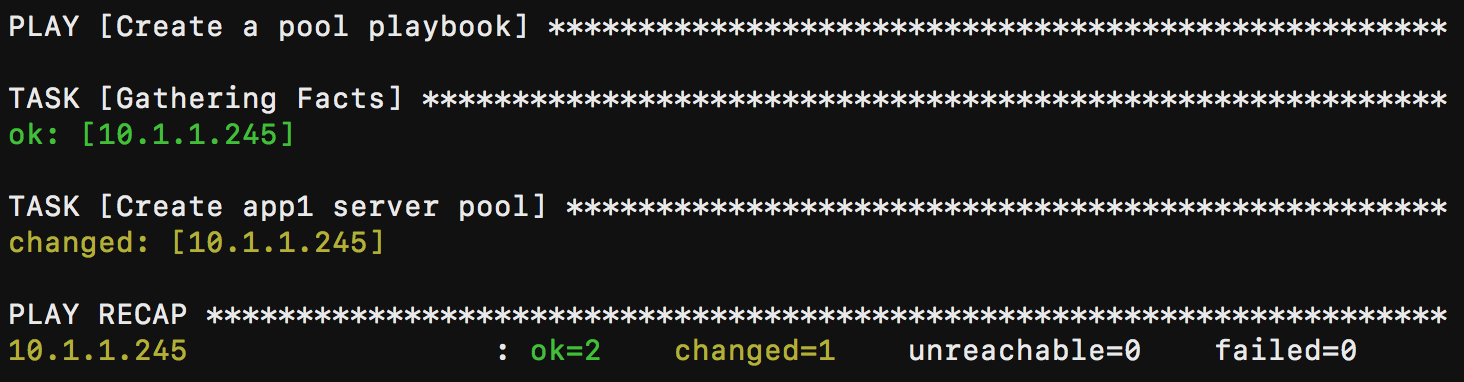
- Type
Verify results in BIG-IP GUI.
Hint
You should see app2_vs deployed with 2 pool members. App should be accessible on https://10.1.10.20.
Run this playbook to teardown app.
- Type
ansible-playbook -e @creds.yaml --ask-vault-pass playbooks/app.yaml -e state="absent"
- Type
Verify that app2_vs, pool and nodes should be deleted in BIG-IP GUI.
Note
Setting the
state="absent"will delete the object. For example within thebigip_virtual_servermodule for virtual server state.If
absent, delete the virtual server if it exists. Ifpresent, create the virtual server and enable it. Ifenabled, enable the virtual server if it exists. Ifdisabled, create the virtual server if needed, and set state to disabled.This playbook introduces environment and group variables,
environment: "{{ bigip_env }}"references the /inventory/group_vars/bigips file.Additional info on variables and precedence can be seen at this link.