2.1.3. Adding pool members to a pool
Assign pool members to a pool
You will select a node which you will assign to a pool app1_pl. Use the
bigip_pool_member module.
Create a playbook
member.yaml.Type
nano playbooks/member.yamlType the following into the
playbooks/member.yamlfile.
Ctrl x to save file.
Run this playbook.
- Type
ansible-playbook playbooks/member.yaml
If successful, you should see similar results
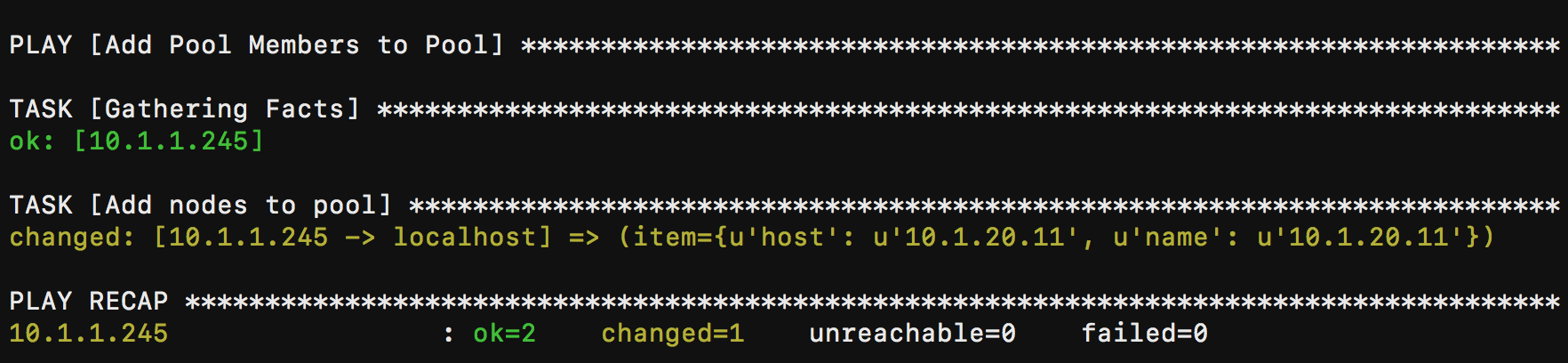
- Type
Verify BIG-IP results.
- Select Local Traffic -> Pools -> app1_p1 -> Members

Add another pool member to pool
app1_pl.- Type
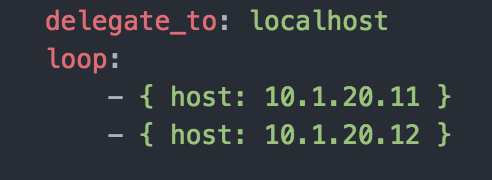
nano playbooks/member.yaml - Add node
10.1.20.12as shown in the image below.
- Ctrl x to save file.
- Type
Run this playbook.
- Type
ansible-playbook playbooks/member.yaml
If successful, you should see similar results

- Type
Verify BIG-IP results.
Note
The
bigip_pool_membermodule can configure pools with the details of existing nodes. A node that has been placed in a pool is referred to as a “pool member”.At a minimum, the
nameis required. Additionally, thehostis required when creating new pool members.The module has several more options, all of which can be seen at this link.